The simulation does not move just a point, it moves the real tool: the holder and insert at the correct scale. You pick it from the catalog by ISO code, draw a missing holder in the Holder Editor, and the collision detector shows every spot where the holder body would hit material. You see the problem before the machine does, before the first part.
Tool catalog
The built-in database contains ISO holders and inserts, and you select a tool by its code, for example PCLNR or CNMG. It includes 146 holder families in 374 holder and shank combinations, 138 inserts and 37 boring bars. For grooving there are another 166 inserts from Sandvik, Iscar, Kennametal, Garant and Mitsubishi and 136 holders in right-hand and left-hand versions, 272 variants in total, with widths from 1.5 to 6 mm.
The insert shape is calculated directly from its ISO designation and has been verified against the CAD drawing of the real insert. The programmed point is the imaginary tool tip, so the toolpath in the simulation matches a G40 program exactly. With every T call, both the holder and the insert change in the simulation.
The tool you see on screen is the same one used by CAM Turning for roughing, grooving and drilling, by the collision detector and by the setup sheet. You enter it once and never retype it elsewhere. The setup sheet is filled in from the program comments with the holder, insert and nose radius.
Holder Editor
When a holder is missing from the catalog or differs from yours, right-click the drawn holder and the Holder Editor opens. You edit the outline point by point: add points, delete them, move them with snapping, and step back and forth with undo and redo.
A holder drawing from a CAD system, for example Fusion 360, comes in through DXF import. The editor reads lines, arcs, polylines and splines and picks the largest of the closed loops. You save the finished holder as your own under the name CODE-VARIANT and use it in further programs. A DXF export takes it to another computer. Grooving holders have their own editor directly in the tool dialog of CAM Grooving.
Collision detection
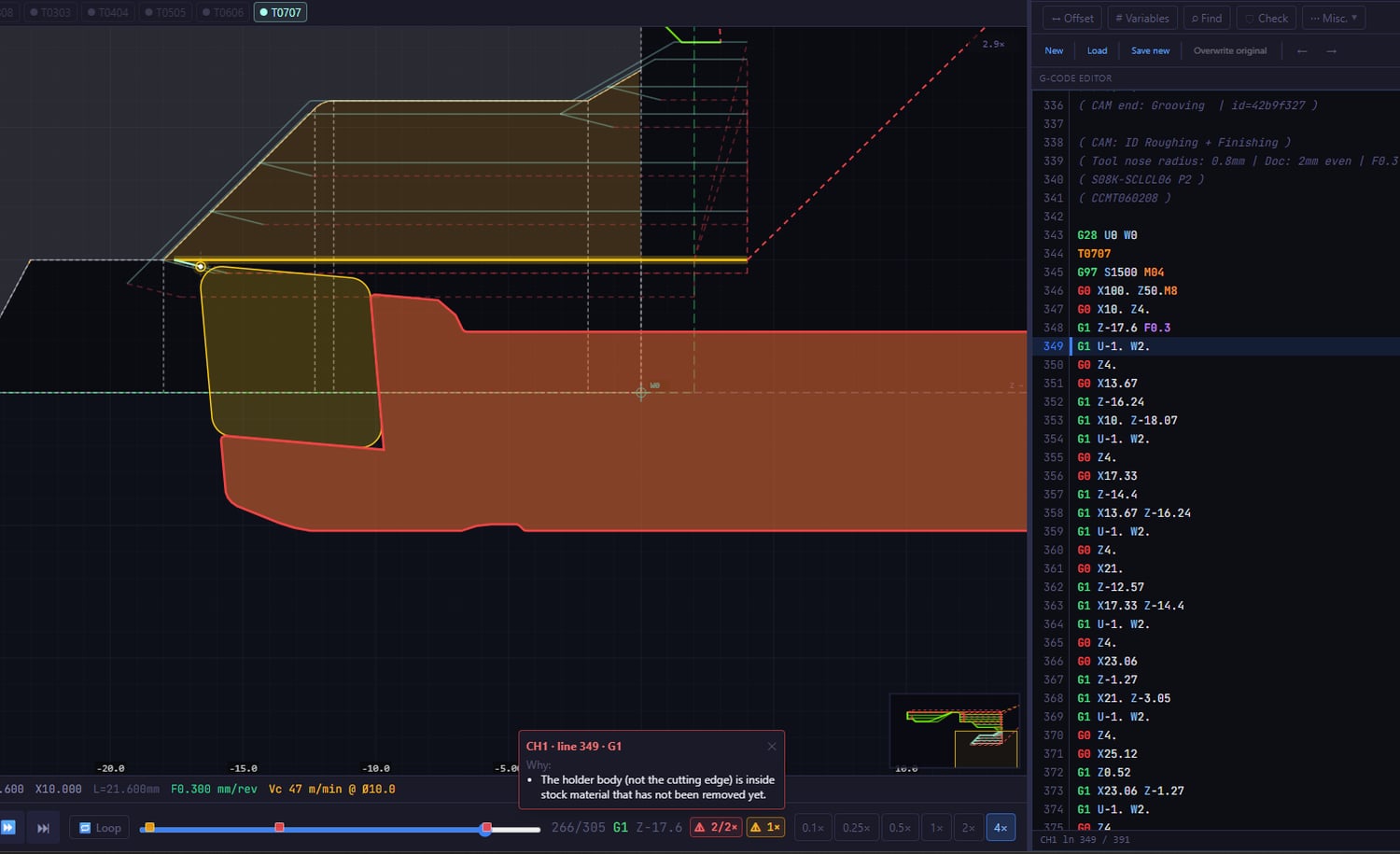
The collision detector shows where the tool holder would touch material that has not yet been removed. The stock shrinks during the simulation according to the actual toolpaths, so the detector knows what is already air and what is not. The stock is loaded from DXF or estimated from the moves in the program. During rapid moves the insert is checked as well.
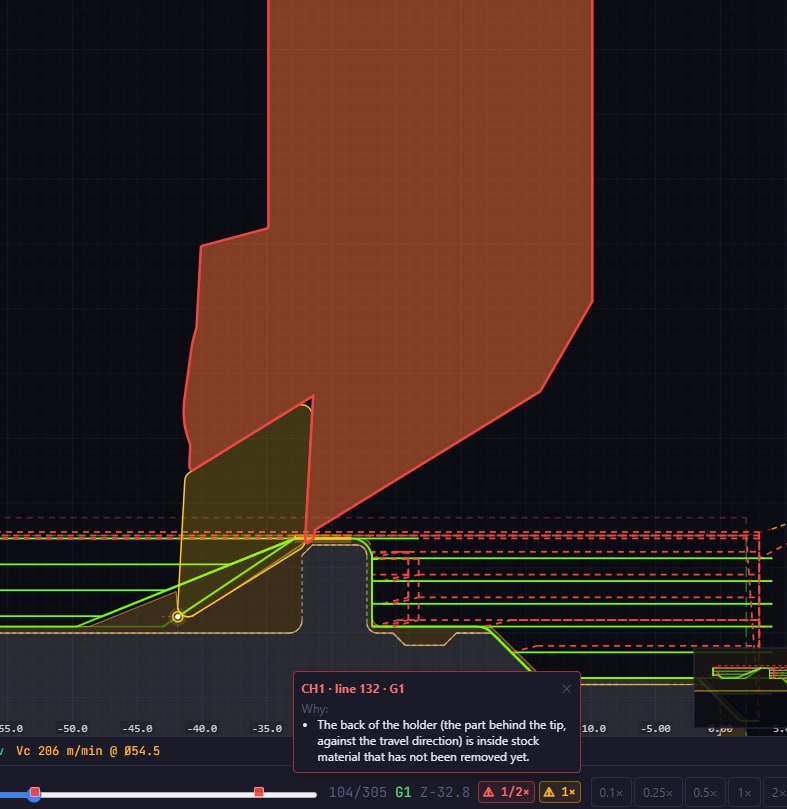
It checks four situations:
- holder against remaining material,
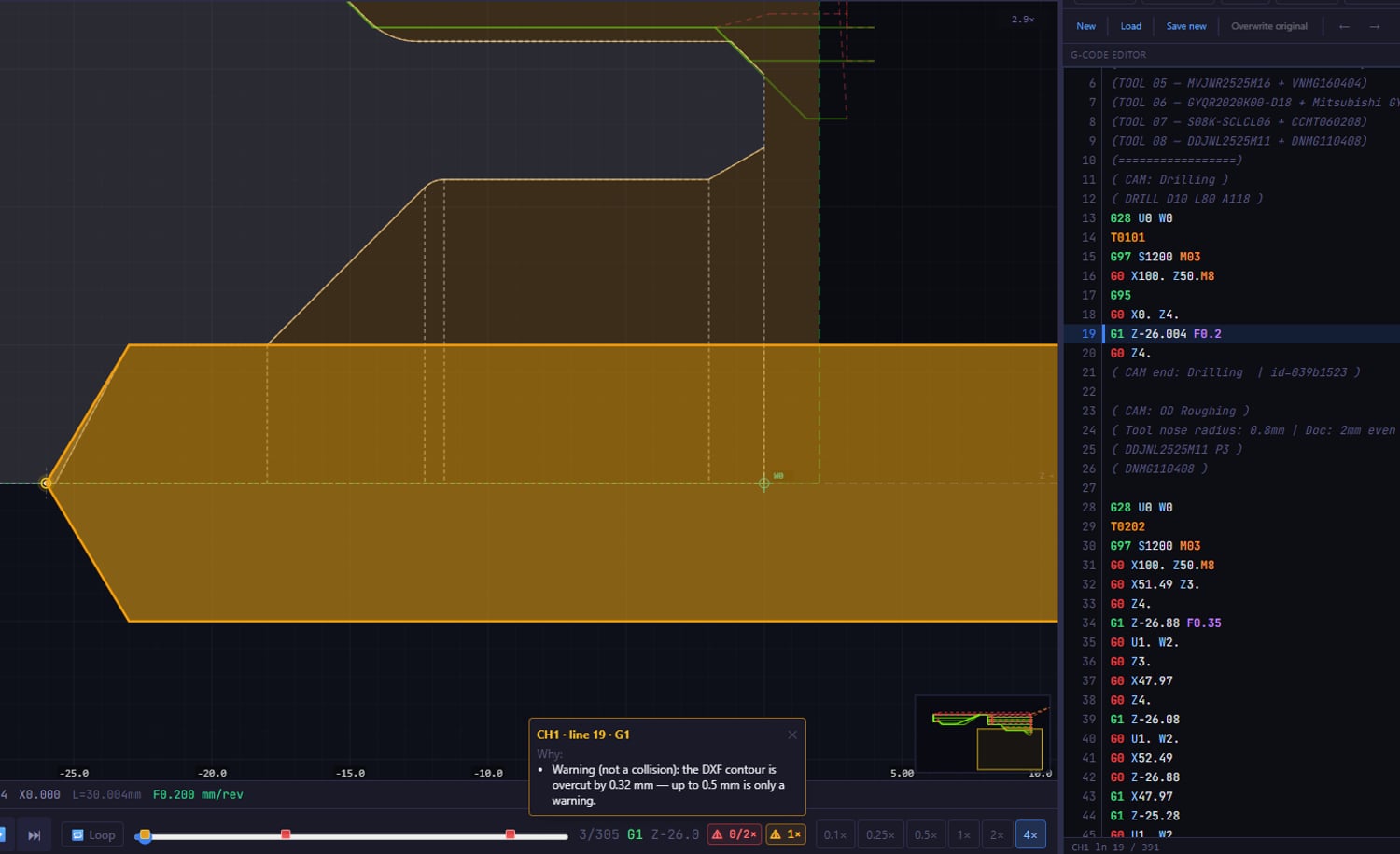
- holder against the DXF part contour,
- holder against the already machined path,
- with two channels, the CH1 turret against the CH2 turret at the same moment.
A boring bar is checked correctly below the centreline too, because the part below the centreline is projected onto the opposite wall.
Collisions are found by scanning the whole program. The list is therefore always the same, wherever you move the timeline. A collision is marked with a red holder outline and a marker on the timeline slider. The ⚠ N× button takes you to it in both channels. Optionally, playback stops on its own at a collision. You enable the detector in Machine Config in the Collisions panel.
Check your program with real tools
Pick tools from the catalog and see whether a holder hits anything, before the first part.
Download free trial